The screens below are the real product running on demo data, exactly what you see the moment you sign in. Bring in your own license data and every number recalculates live.
See your whole position on one screen
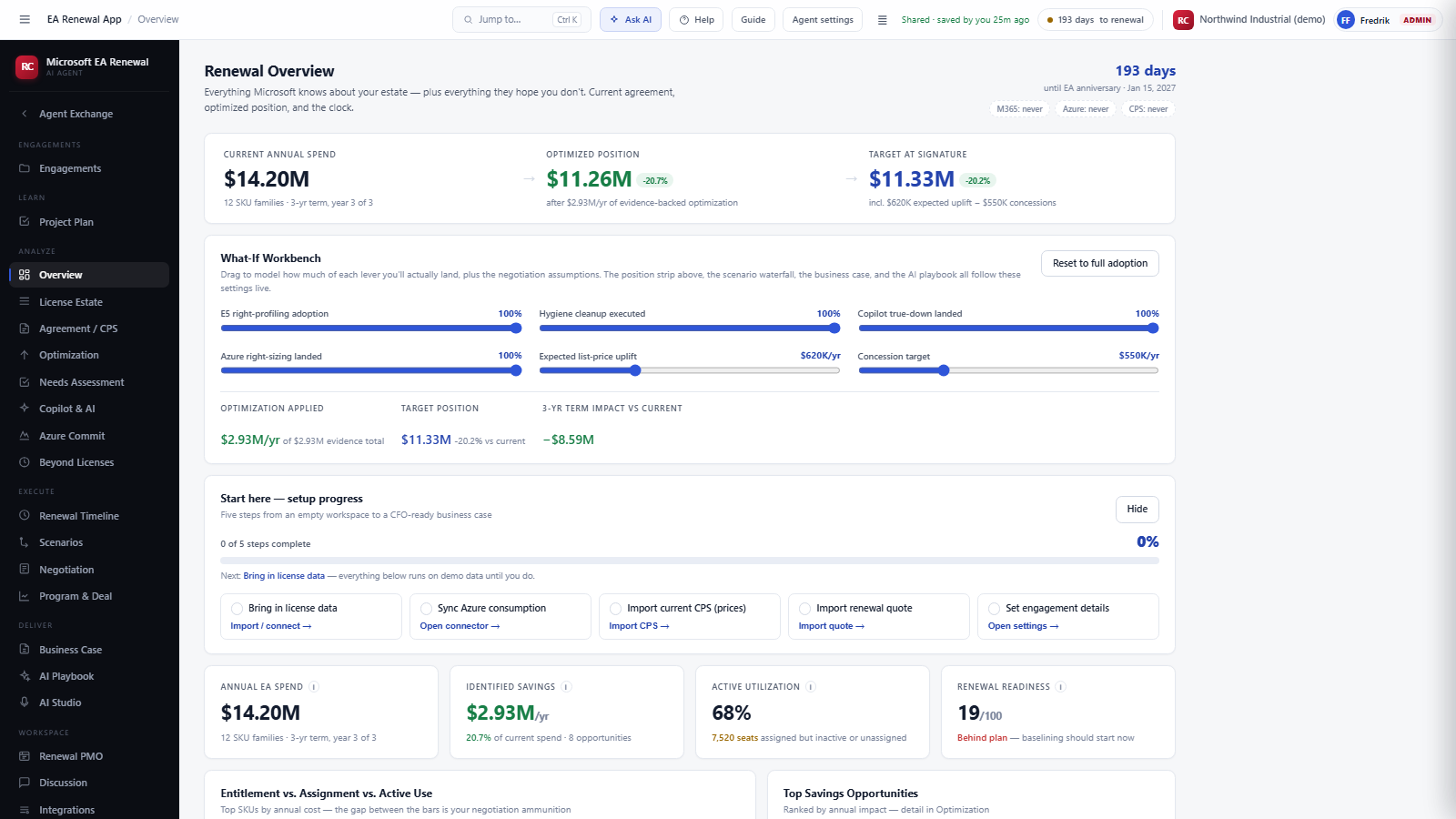
The Renewal Overview shows current annual spend, the optimized position, and the target at signature, with the countdown to your renewal date always visible. The What If Workbench lets you drag each lever (right profiling adoption, hygiene cleanup, Copilot true down, Azure right sizing) and watch the three year impact move in real time.
Bring in your license estate
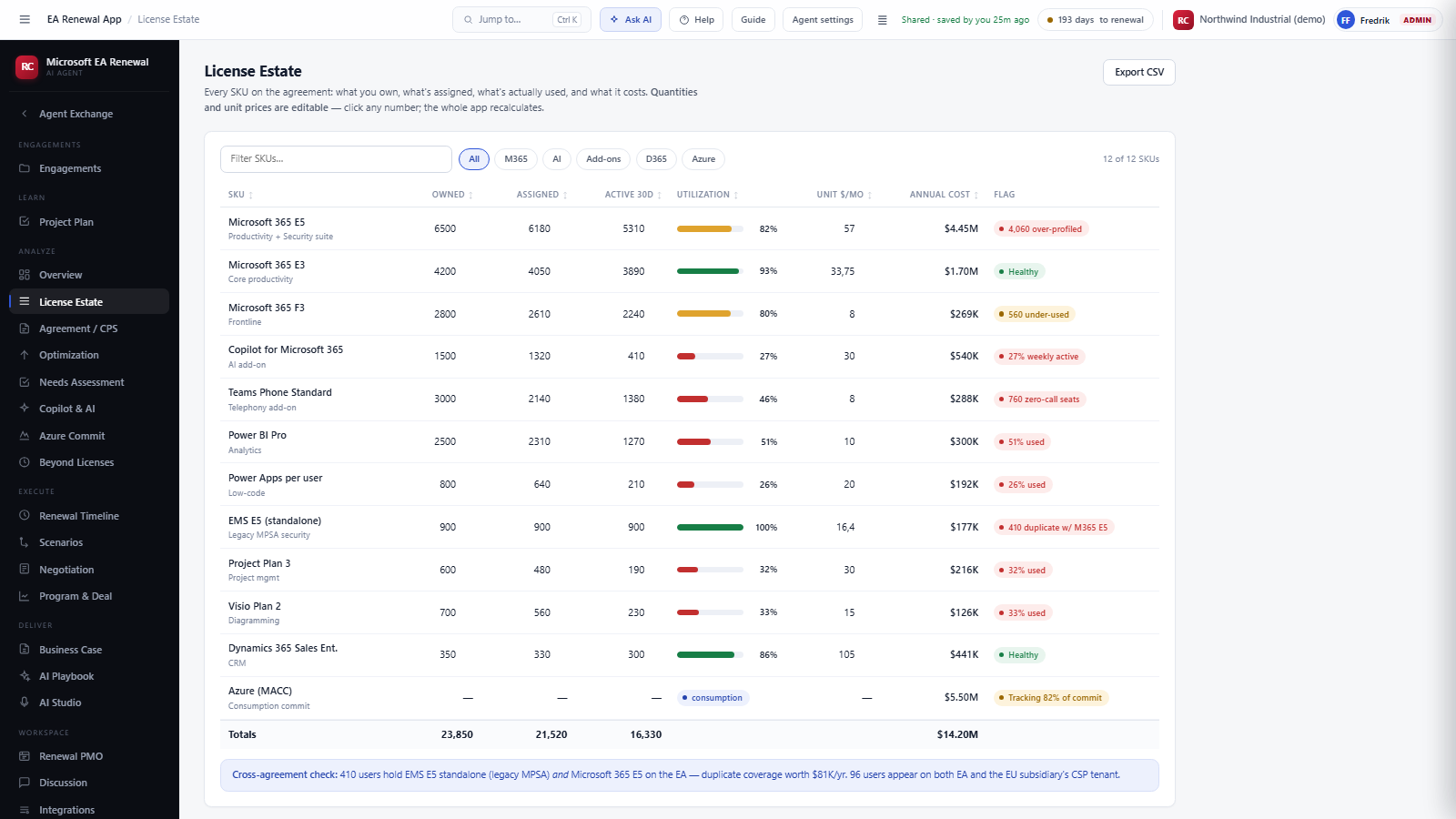
Every SKU on the agreement: what you own, what is assigned, what is actually used in the last 30 days, and what it costs. The agent flags the story behind each row: over profiled seats, under used tiers, zero call telephony seats, duplicate coverage across agreements. Quantities and prices are editable, and the whole app recalculates on any change.
The agent finds the money
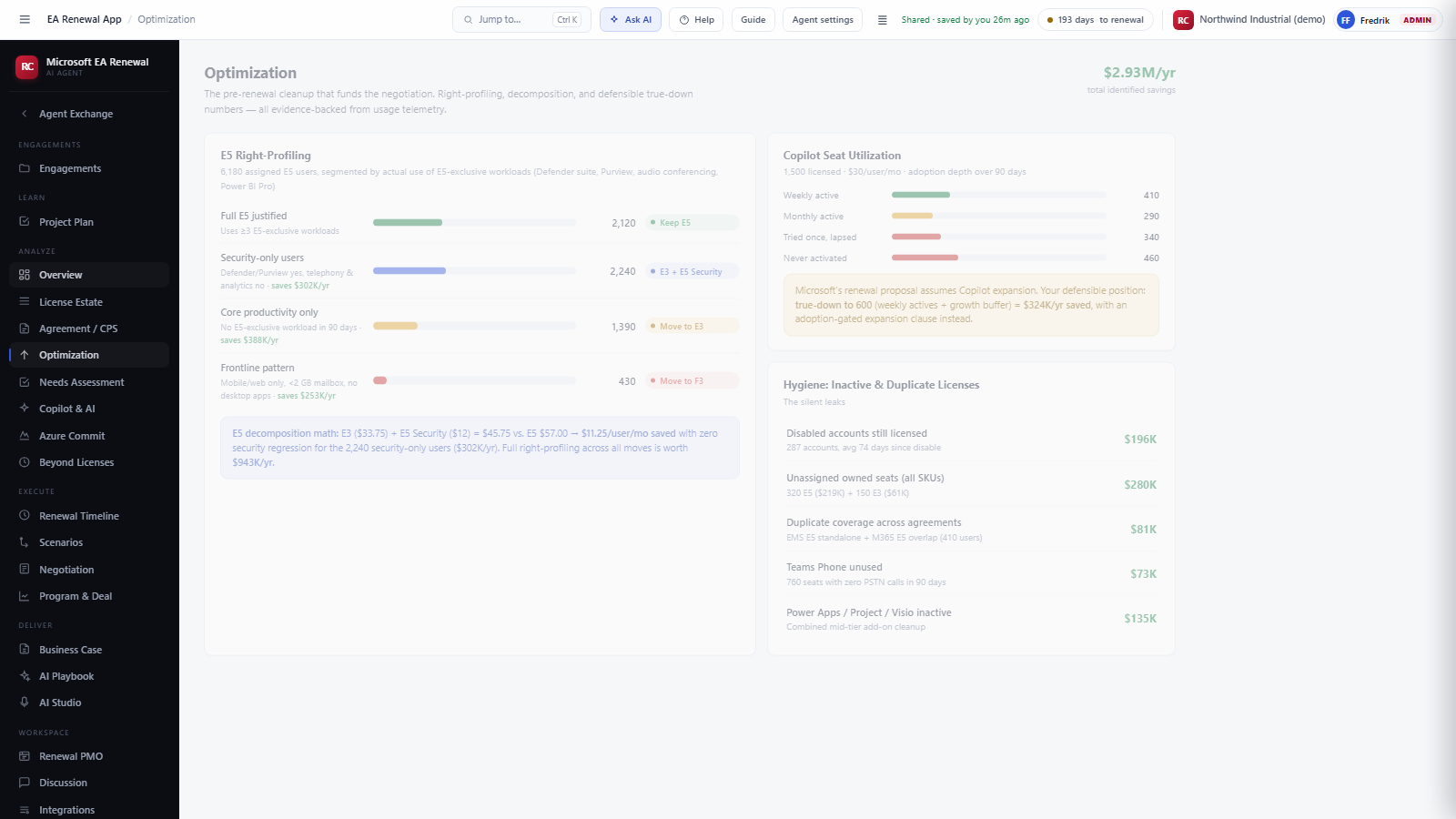
Optimization is the pre renewal cleanup that funds the negotiation. The agent segments your E5 users by actual use of E5 exclusive workloads, prices the decomposition mathematics per user, measures real Copilot adoption depth, and lists the silent leaks: disabled accounts still licensed, unassigned seats, duplicate coverage.
Prove what each population actually needs
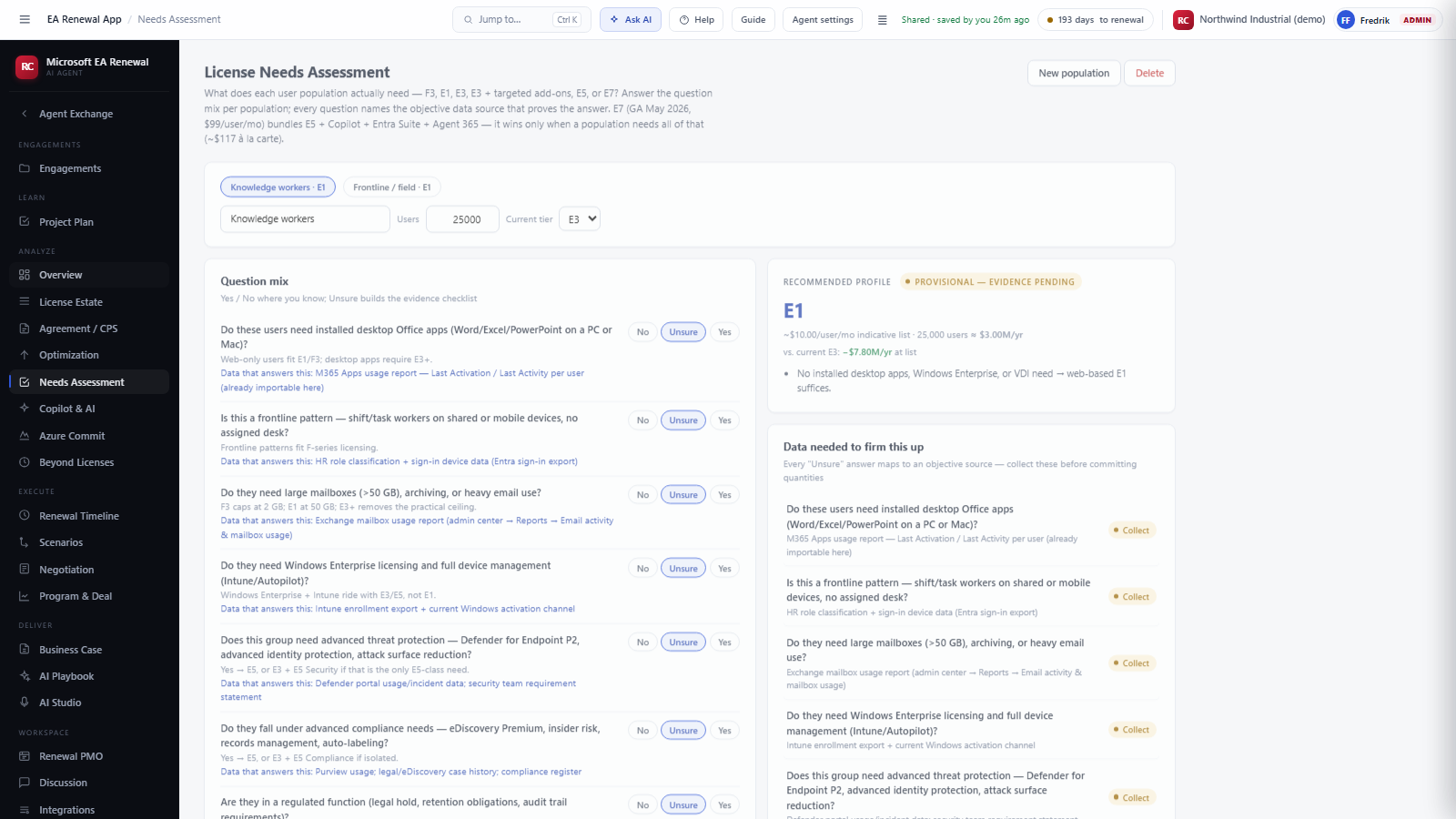
The Needs Assessment works population by population: a question mix where every question names the objective data source that proves the answer. Answer what you know, mark the rest unsure, and the agent builds both a recommended profile and the evidence checklist to firm it up before you commit quantities.
Decide AI spend on evidence, not optimism
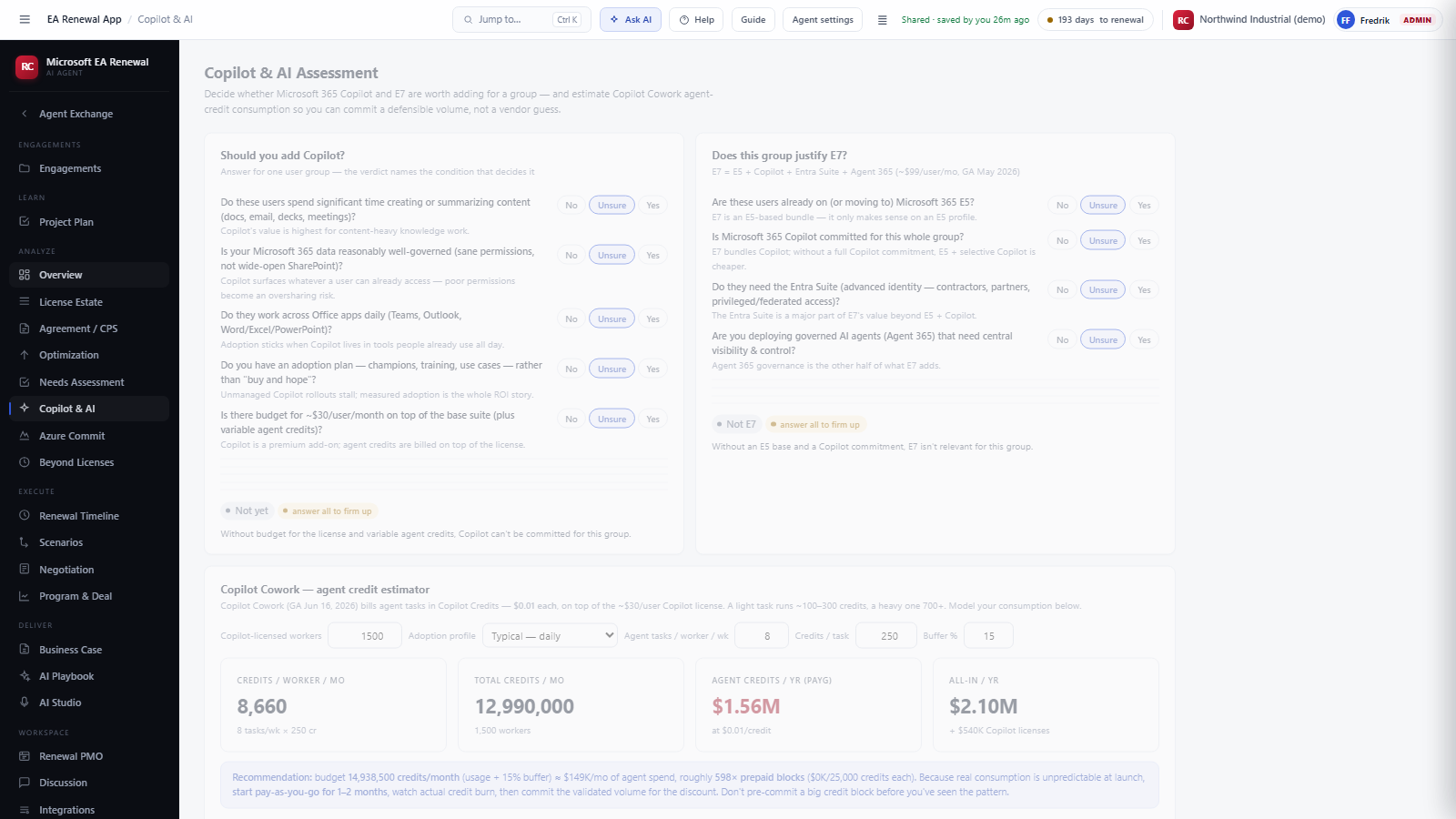
Copilot and E7 are where renewal quotes grow fastest. The agent walks the questions that decide whether Copilot is justified for a group, whether E7 makes sense at all, and estimates agent credit consumption so you commit a defensible volume, not a vendor guess.
Ready to run it on your own agreement?
Request the agent for your vendor, or talk to us about which plan fits your renewal.